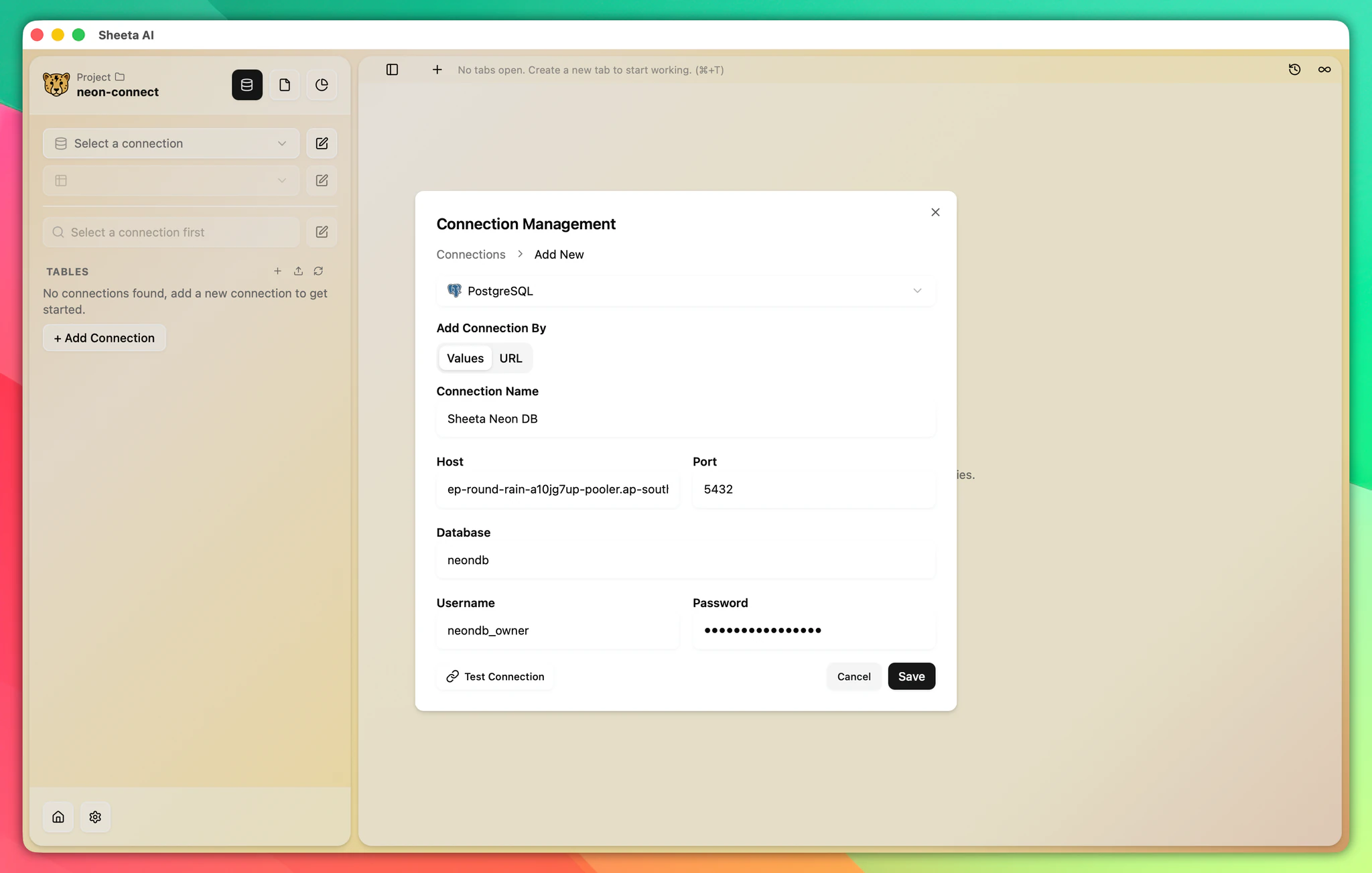
Provider guides
Neon
This guide covers connecting Sheeta DB to Neon, a serverless PostgreSQL platform. Neon offers instant branching, autoscaling, and a generous free tier for development and production workloads.
Get Started
- Go to the Neon website.
- Log in with your email.
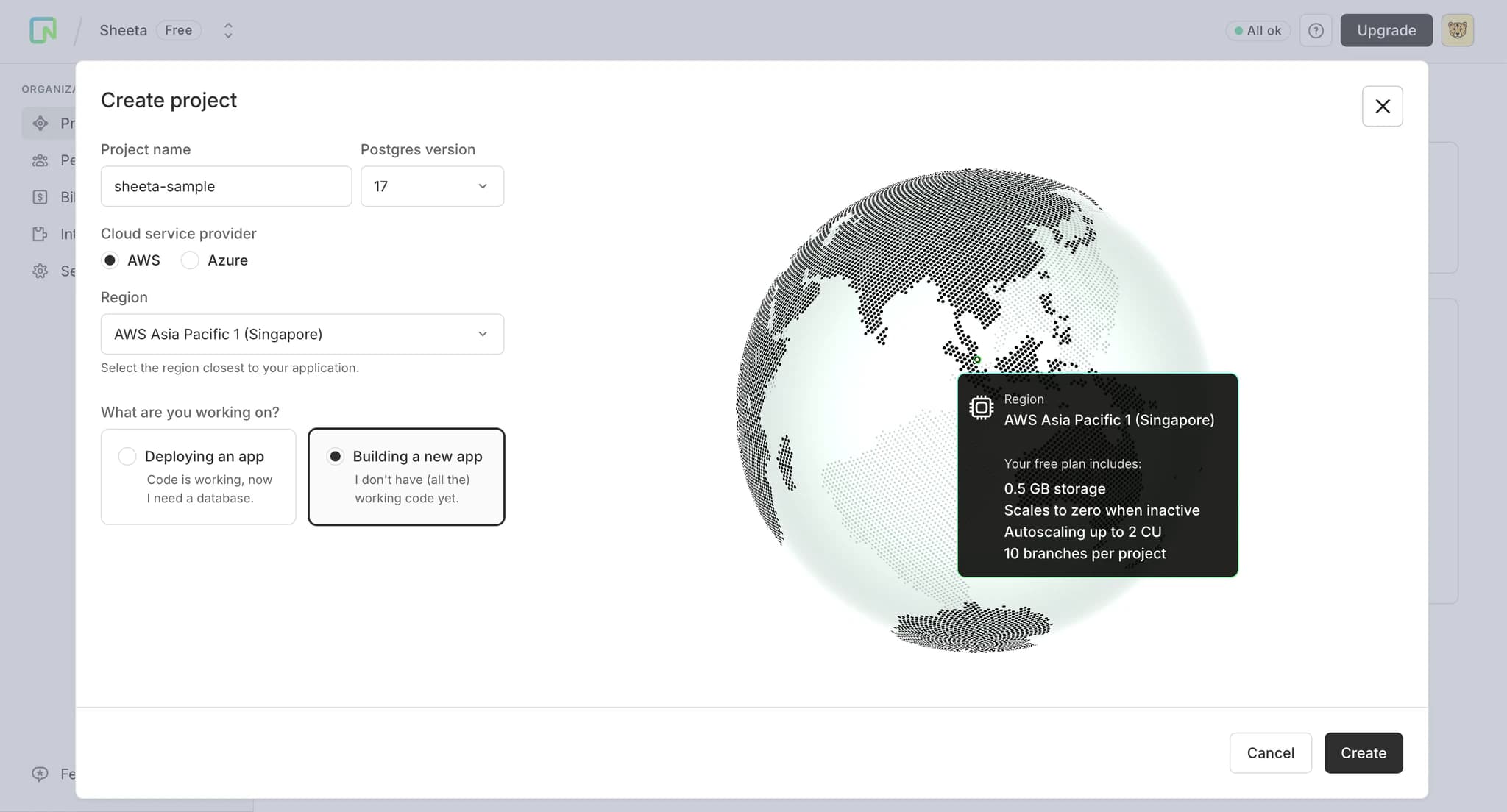
- Create a new project. Fill in the Project Name and select a Region close to where you provide services.
- Click Create to complete project creation.
Connect Neon to Sheeta DB
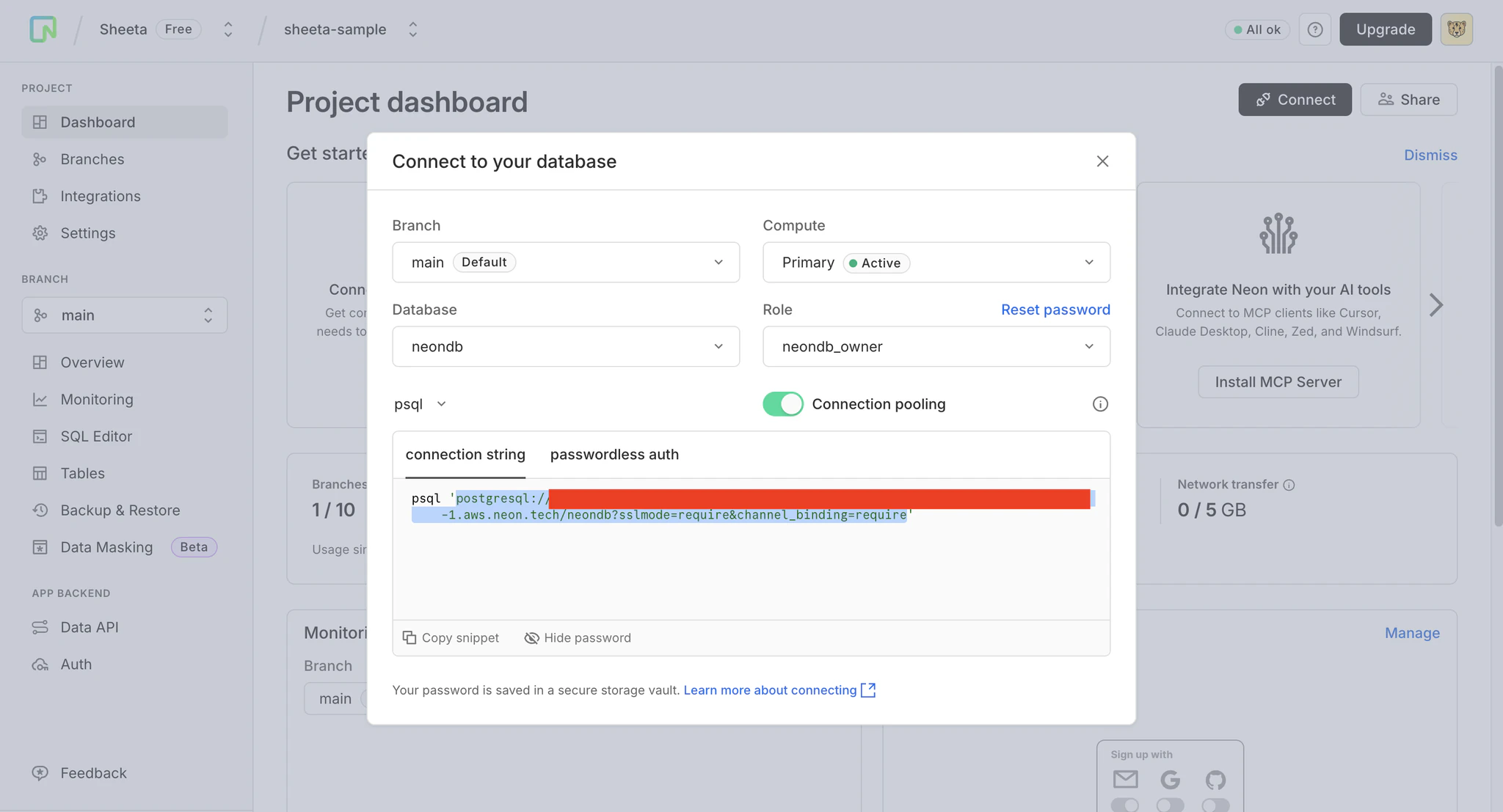
- On the Neon project page, click Connect.
- Copy the connection URL from the modal.
- Open a project in Sheeta DB and click the edit icon next to the connection dropdown.
- Click Add connection and select PostgreSQL.
- Select URL as the connection method.
- Paste the connection URL.
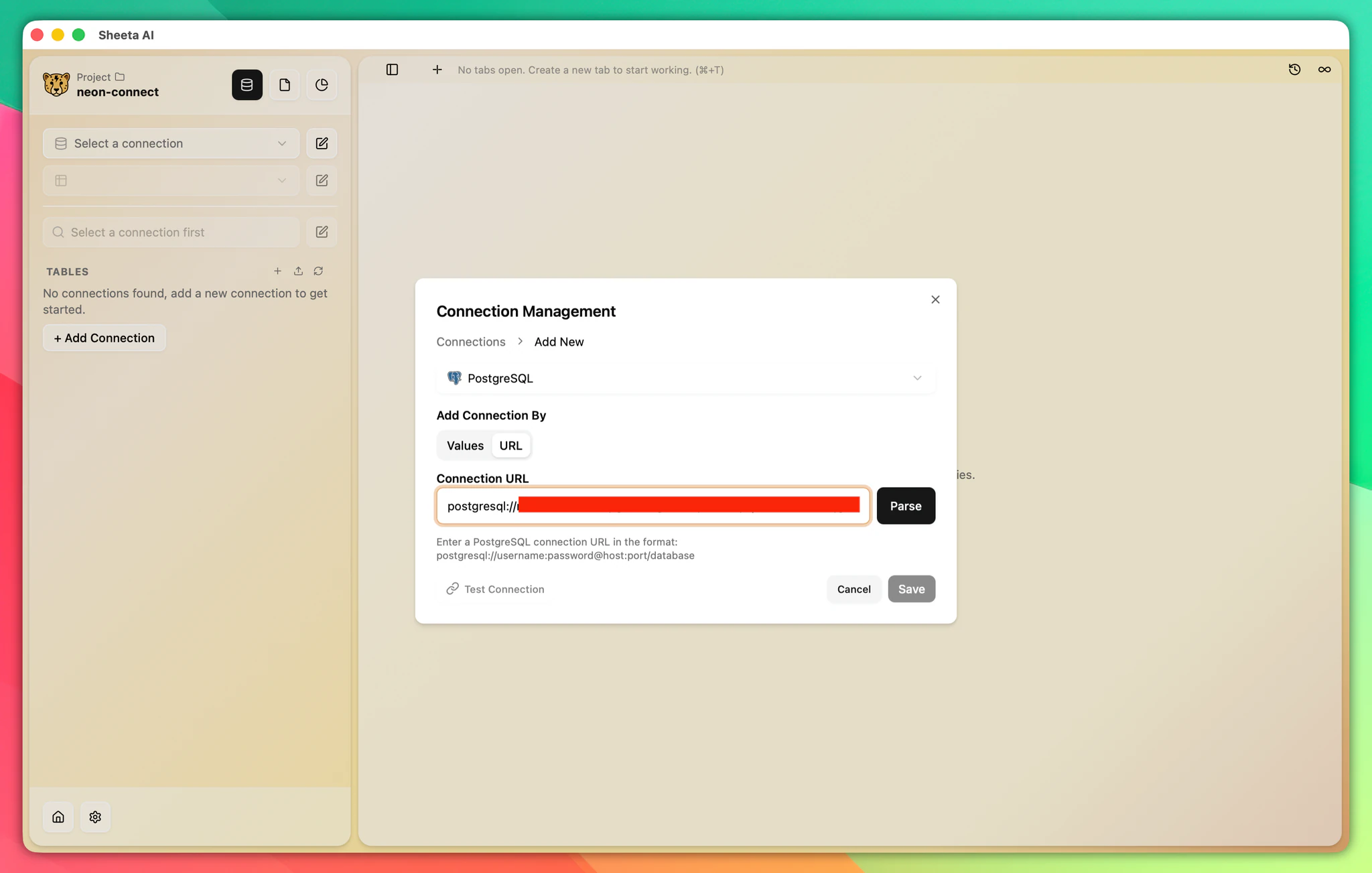
- Click Parse. The app will populate the connection details automatically.
- Enter a Connection Name.
- Click Test Connection to verify.
- Click Save.